

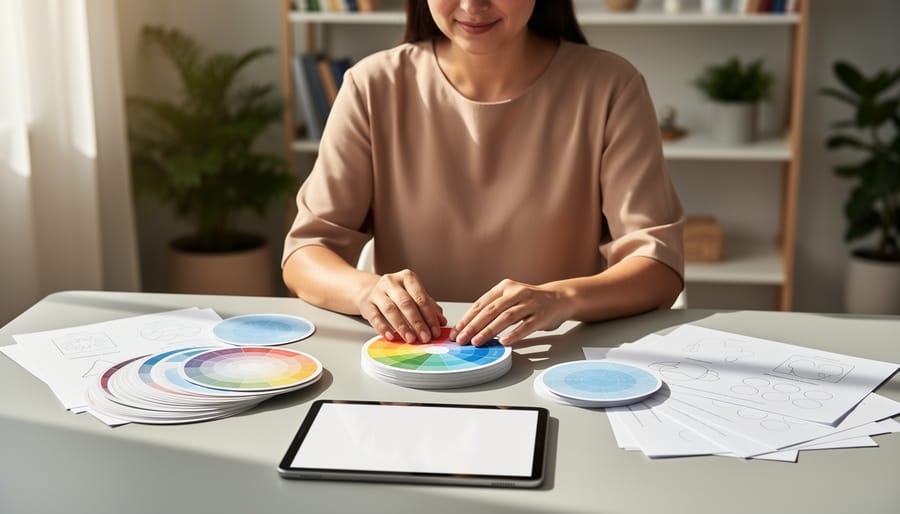
Figma is a free, browser-based design tool that lets you create, share, and collaborate on visual materials in real time. For art therapists and mental health professionals, it offers a surprisingly practical way to build client worksheets, emotion wheels, mood trackers, guided prompts, and session resources without needing graphic design training or expensive software. You can start with the free Starter plan, which gives you unlimited personal files and lets up to two editors work together at once, making it accessible whether you’re testing it out or running a small private practice.
The appeal for therapeutic work is clear. Figma’s drag-and-drop interface means you can design printable handouts or digital tools that feel personal and visually engaging, rather than relying on generic templates that don’t quite fit your clients’ needs. If you’re offering online art therapy you can create shareable art prompts, mandala templates, or reflection exercises that clients can interact with remotely. The collaborative features allow you to work with colleagues on shared resources, refining tools as you go.
That said, Figma isn’t art therapy software. It won’t replace specialized platforms or hands-on creative processes, and there’s a learning curve if you’ve never used design tools before. But for therapists who want more control over the look and feel of their materials, or who need custom resources that reflect diverse cultural backgrounds and identities, Figma provides a flexible, budget-friendly option. This guide will help you understand what Figma actually does, how it applies to therapeutic practice, and whether it’s worth your time to explore.
What Is Figma and Why Are Therapists Talking About It?

Figma started as a tool for digital product designers, the people who create app interfaces, websites, and software layouts. It lives entirely in your web browser, which means there’s nothing to download or install. You create visual designs on an infinite digital canvas, arrange shapes and text, choose colours, and build whatever you need. What made Figma different from older design software was its collaborative nature: multiple people can work on the same project simultaneously, seeing each other’s changes in real time.
So why are art therapists and creative wellness practitioners suddenly interested in a tool built for tech designers? The answer lies in what many therapists were already doing, creating handouts, designing visual prompts, putting together mood boards, and developing worksheets for clients. Before discovering tools like Figma, this often meant wrestling with Microsoft Word’s stubborn formatting, paying for expensive Adobe subscriptions, or cutting and pasting physical materials that couldn’t easily be shared digitally.
What caught therapists’ attention was Figma’s free Starter plan and its browser-based accessibility. A therapist could create a visual resource on their laptop, share a link with a client, and that client could view or interact with it on any device without needing special software. For practitioners working with remote clients, facilitating group sessions, or simply trying to move beyond photocopied worksheets, this opened practical possibilities.
The emergence of Figma in therapeutic spaces wasn’t orchestrated by the company itself. Instead, creative professionals who also worked in wellness settings started sharing how they used it, and word spread through professional networks. Therapists began experimenting, discovering they could design session materials that felt more engaging than standard documents, and build visual tools tailored to specific client needs rather than relying entirely on pre-made resources.
How Art Therapists Are Using Figma in Their Work
Creating Session Materials That Clients Can Access
Many therapists find that creating visual materials strengthens their work, but traditional graphic design software often feels unnecessarily complicated. Figma lets you build handouts, reflection prompts, and visual exercises that clients can actually access and revisit between sessions, without needing design expertise.
The practical advantage is simple: you create a worksheet or visual prompt once in Figma, then share a link. Clients open it on their phone, tablet, or computer without downloading anything or needing special software. For practices integrating art therapy and mindfulness this means a guided breathing visualization or a body-scan diagram you designed can live as a shareable resource that clients revisit when they need it.
Therapists use this approach for reflection journals with visual prompts, emotion wheels clients can reference at home, drawing templates for ongoing creative exercises, and mood-tracking boards that evolve over time. One practitioner might design a simple “feelings thermometer” graphic that clients screenshot and use throughout the week; another creates a digital collage template clients fill in as homework.
The key difference from PDF handouts is flexibility. You can update materials as a client’s needs change, create different versions for different clients from one master template, and clients see your latest version automatically if you share a live link rather than a static file. For therapists who already create session materials, Figma simply makes those materials easier to share and maintain digitally.
Building Collaborative Visual Projects

One of Figma’s standout features for therapeutic work is its capacity for real-time simultaneous editing where multiple people can work on the same visual project at once. In group therapy settings, this opens up possibilities that traditional art supplies can’t easily match. A therapist might create a shared canvas where group members each contribute to a collective vision board, add elements to a community mandala, or collaboratively map out connections between different emotions or experiences. Everyone sees the additions as they happen, which can spark organic conversations and reduce the pressure some clients feel when creating alone.
For family therapy sessions, Figma offers a neutral digital space where family members can contribute equally, regardless of artistic confidence. Parents and children might build a shared visual timeline of positive memories, or create a collaborative mood board representing what “home” or “safety” means to each person. The therapist can guide the process without dominating the creative space, stepping back to let family dynamics emerge through the collaborative design process.
Distance matters less with Figma’s structure. Therapists working with clients in remote areas, or those who’ve relocated but want to continue therapy, can maintain creative connection through shared projects. A client might start a visual journal entry that the therapist reviews and adds supportive elements to between sessions, creating an ongoing dialogue that doesn’t rely solely on video calls or text exchanges. The platform becomes a bridge when physical presence isn’t possible.
Understanding Figma’s Pricing for Therapy Practices
Figma’s pricing structure can feel confusing at first glance, especially if you’re used to simpler software subscriptions. The good news is that many therapists can start with Figma’s free Starter plan and use it indefinitely without paying anything. This free tier lets you create unlimited design files and work with basic collaborative features, enough for a solo practitioner creating session worksheets or visual prompts.
If you need more advanced features or want to collaborate with colleagues regularly, Figma offers paid plans that scale with your practice needs. Here’s how the main options break down:
| Plan Type | Cost (USD, annual billing) | Best For |
|---|---|---|
| Starter (Free) | $0 | Solo therapists exploring Figma or creating personal resources |
| Professional Full Seat | $16/month | Individual practitioners who need unlimited version history and advanced libraries |
| Professional Collab Seat | $3/month | Additional team members who mainly view and comment rather than design |
| Organization | $55/month per seat | Larger therapy practices with multiple staff creating materials together |
The Professional plan includes different seat types. A Full seat at $16 monthly gives you complete design capabilities. If you’re bringing in a colleague who just needs to review materials and leave feedback, a Collab seat costs only $3 monthly. Figma also offers Dev seats at $12 monthly, though these are designed for software development workflows and likely won’t matter for most therapy practices.
For solo practitioners or very small teams, the free plan or a single Professional seat usually covers everything needed to create therapy materials. The higher-tier Organization and Enterprise plans ($55 and $90 per seat monthly) are built for companies with complex team structures and administrative needs that rarely apply to therapy practices.
Remember that all these prices use annual billing, paid upfront. Monthly billing costs slightly more. If you’re just testing whether Figma fits your workflow, stick with the free Starter plan until you hit a specific limitation that matters to your work.
Is Figma Right for Your Art Therapy Practice?
Figma suits therapy practices that already lean digital and value visual collaboration, but it’s not the right fit for everyone. If you’re tech-comfortable and regularly create handouts, worksheets, or visual resources for clients, Figma can streamline that work and make your materials more polished. Practices that run group sessions or work remotely with multiple participants benefit most from its real-time collaboration features.
The learning curve matters. Figma assumes you’ll invest time learning its interface, design tools, and workflows. If you’re new to design software, expect a few weeks of experimenting before you feel confident creating from scratch rather than modifying templates. That time investment pays off if you’re building lots of resources, but it might feel like overkill if you only need occasional worksheets. Before committing, weigh the pros and cons of digital tools in your specific therapeutic context.
Figma requires a stable internet connection and works best on a computer with a decent screen. It can run in a browser or as a desktop app, but you’ll struggle on older devices or unreliable Wi-Fi. Sessions that involve clients directly working in Figma need them to have similar access, which may limit your options with certain populations.
When simpler tools make more sense: If you’re designing basic text handouts, Google Docs or Canva’s free templates might be easier. If you need specialized art therapy software with built-in prompts and assessments, look for dedicated platforms. If your practice runs mostly in-person with physical materials, investing time in Figma might distract from your core work.
The right answer depends on how you choose a design tool that supports rather than burdens your workflow. Technology should make therapeutic work easier, not add complexity that pulls focus from your clients. If Figma genuinely helps you serve people better, explore it. If simpler options already meet your needs, stick with those.
Getting Started: First Steps for Therapists New to Figma
If Figma sounds like it might be worth trying, the best approach is to start small and see how it feels in your actual work. You don’t need to commit time or money upfront, the Starter plan is free and gives you enough access to test whether this tool fits your practice.
Here’s a straightforward way to explore Figma without overwhelming yourself:
- Create a free account and spend 15 minutes clicking around the interface. Don’t worry about understanding everything, just get a sense of the workspace and basic tools.
- Pick one simple project that would actually help your work, like designing a feelings wheel worksheet or a visual prompt for reflection. Keep it small.
- Search for a beginner tutorial specifically related to your project. Figma offers events and on-demand expert sessions, and countless therapists and educators share free tutorials on YouTube.
- Work on your project in short sessions over a week or two. Notice whether you’re finding the process frustrating or energizing.
- Try sharing your creation with a trusted colleague or using it in a low-stakes session to see if it actually serves your therapeutic goals.
The learning curve exists, but it’s gentler than many design tools. Most therapists report that they can create basic worksheets and visual resources within their first few hours of experimenting. You’re not trying to become a professional designer, you’re testing whether this particular tool makes your creative work easier or harder.
Pay attention to how you feel while using Figma. If you find yourself enjoying the process and seeing practical benefits, continue exploring. If it feels like a chore that pulls you away from client care, that’s valuable information too. There’s no wrong answer, and the free plan means you can walk away anytime without losing anything except a bit of exploration time.
Figma can be a valuable addition to your therapeutic toolkit, but it’s just that, one option among many. Some therapists find it transforms how they create session materials and collaborate with clients. Others discover it doesn’t fit their workflow or prefer simpler alternatives. Both approaches are completely valid.
The heart of effective art therapy isn’t the software you use. It’s the connection you build with your clients, your understanding of their needs, and your ability to create a safe space for creative exploration. Whether you design resources in Figma, sketch on paper, or use any other method, what matters most is supporting your clients’ healing journey.
If you’re curious about Figma, start small. Experiment with the free plan on a simple project. See if it feels intuitive or frustrating. Notice whether it saves you time or adds complexity. Let your clients’ needs guide your decision, not the technology itself.
At Art Therapy Canada, we believe mental health support should be accessible and affordable. That means choosing tools that genuinely serve your practice without adding unnecessary cost or barriers, for you or your clients.
